
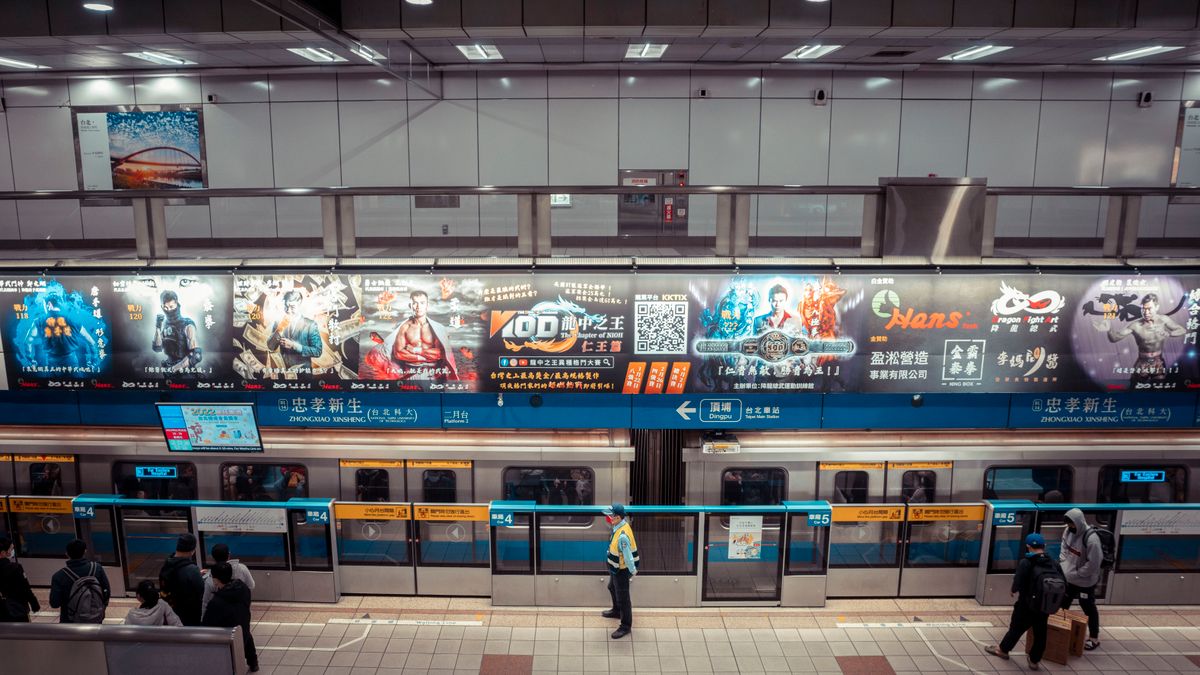
 On screen
A script for a venue screen is less a speech than a plan for what people see. Your viewer is in a waiting room, a dining room or a gym lobby, doing something else, and glancing up now and then. This guide shows you how to write a 30 second ad script for that situation, with a template you can fill in and a worked example.
It stays on the script itself: the beats, the words and the order. For layout, color and type, see how to design video ads for venue screens. For the mistakes that waste screen time, see creative mistakes on venue screens.
How is a script for a screen across the room different?
Three conditions shape everything else. Plan around them before you write a line.
- Divided attention. CETV Now full-screen video runs as an unskippable takeover of the venue's live TV, so viewers cannot skip it. They can still look away or keep talking. CETV Now reports average dwell time of 15+ minutes across its network, but dwell time is how long people stay in a venue, not how closely they watch. Your first seconds have to earn the glance.
- Distance. People read from a seat across the room, so a line that works on a phone can be unreadable here.
- Sound may be low or off. Venue TVs are often kept quiet. Write the visuals and on-screen text so the spot makes sense without audio. Video ads that work with sound off goes deeper on this.
For more on what people do in these spaces, read what people do while they wait. It helps you pick a hook that fits the moment.
What are the five beats of a 30-second script?
Treat the timings below as a starting point, not a rule. The order matters more than the exact second marks.
- 01
Beat 1: visual hook (about 0 to 3 seconds)
Open on something people can recognize in a glance: the product, a finished result, a familiar local sight or a bold one-line question. Skip a logo-first opening. The viewer has no reason to care about your name yet.
- 02
Beat 2: one problem or desire (about 3 to 9 seconds)
Name a single situation your viewer would recognize. It can be a problem ("your dog hates the groomer") or a desire ("a fresh cut before the weekend"). Choose one. A second problem splits the message.
- 03
Beat 3: the offer (about 9 to 17 seconds)
Say what you are offering and why it fits that problem or desire. This is the longest beat because it carries the reason to act. A specific local offer is easier to remember than a general brand line. How to design a local offer ad covers offer construction.
- 04
Beat 4: proof (about 17 to 24 seconds)
Give one believable reason to trust you. Examples are a real result shown on screen, a credential you actually hold, or how long you have served the neighborhood. Use only what is true and that you can support. Do not stack three claims.
- 05
Beat 5: the action (about 24 to 30 seconds)
Tell people exactly one thing to do next, and hold it on screen long enough to read twice. Examples are a business name plus a street, a short web address or a phone number. A QR code can work in some settings; see QR codes on venue screens before you rely on one.
What does a finished script look like?
Take a made-up neighborhood dog groomer called Wag Lane Grooming that wants to reach people in nearby venues. Here is its 30-second script, written picture-first.
| Time | What viewers see | On-screen text | Optional voiceover |
|---|---|---|---|
| 0–3 sec | Close-up of a happy, freshly groomed dog shaking out its coat | Dreading bath day? | Dreading bath day? |
| 3–9 sec | Quick cuts: dog hiding from a hose, then calm on a grooming table | Bath day, without the drama | Bath day does not have to be a fight. |
| 9–17 sec | Groomer working gently; the offer card appears | Free nail trim with your first groom | Book your first groom and the nail trim is on us. |
| 17–24 sec | Groomer with a dog on the table; storefront shot | Family-owned. Right on Larkspur Ave. | A family-owned shop, right here on Larkspur Avenue. |
| 24–30 sec | Storefront with business name held on screen | Wag Lane Grooming · Book online or call · [phone number] | Wag Lane Grooming. Book online or give us a call. |
Notice what the script leaves out. It has one problem, one offer, one proof point and one action. The on-screen text carries the same idea as the voiceover in fewer words, so a muted viewer loses nothing. The final beat holds the business name and contact for the longest stretch.
How much copy fits in 30 seconds?
Less than you think. The common mistake is writing a 30-second script as if it were a radio spot or a webpage and then putting all of it on screen.
- Cut words before you shrink type. If a line only fits at a small size, it will not be read from across a room. Remove words instead.
- One idea per frame. Each cut or scene should carry a single short line that can be read in a glance.
- Keep the voiceover lighter than your instinct says. Spoken words should support the visuals and not narrate every second. Leave gaps.
- Avoid fine print on screen. Terms, long disclaimers and legal text are rarely readable at a distance. Put the essentials in the offer and handle details at the counter or on your site.
- Repeat the one thing that matters. Your business name and action can appear more than once, but not new claims.
If your draft needs more room, you probably have two ads. Pick the stronger idea for this spot and save the other for a separate one.
A fill-in template you can copy
- 1Hook (visual first): "[Recognizable image or short question about the situation]."
- 2Problem or desire: "[One situation your viewer knows]."
- 3Offer: "[What you give them], [for whom], [when or where]."
- 4Proof: "[One true, checkable reason to trust you]."
- 5Action: "[Business name] · [one way to respond]."
Then check the draft against two tests. Could someone who never hears audio still understand the offer? Could someone ten feet from the screen read every on-screen line? If either answer is no, trim.
How do you tailor the script to the venue?
CETV Now targeting works by neighborhood, city, metro, zip code, sector and individual venue, and can be layered with audience type and time of day. That means the same offer may call for different hooks. A groomer's hook in a restaurant dining room may differ from one in a salon lobby. Write a base script, then adjust the first beat for the setting. How to test creative across venue categories shows a structured way to compare versions.
Placements run in curated venue categories, including restaurants and bars, medical and dental offices, fitness and wellness facilities, auto dealerships, retail and professional services. Match your tone to where the spot will run.
What should you check before you submit?
CETV Now supports 30-second video, and creative is submitted for review before it runs. This guide does not cover other spot lengths, file formats, resolution or audio handling. Confirm those with the team before you produce the final file.
- Watch it muted. Does the offer still land?
- Watch it from across the room, or scaled down on a screen at arm's length. Is every line readable?
- Check each claim. Can you support it if someone asks?
- If you advertise in a regulated category such as healthcare, financial services, alcohol or legal services, check your own compliance rules before writing claims.
- Read how to prepare creative for network review so the submission goes smoothly.
When the script is ready, you can look at ad formats to see how 30-second video sits alongside static and motion options, or go to the advertiser page to plan a campaign. To start, you share your markets, venue categories, creative and budget, and CETV Now maps a plan to real-world audiences and provides a quote. No outcome is guaranteed, and results vary by campaign.
Figures reflect CETV Now network data and are provided for informational purposes. Individual campaign results vary; no specific outcome is guaranteed.