
 On screen
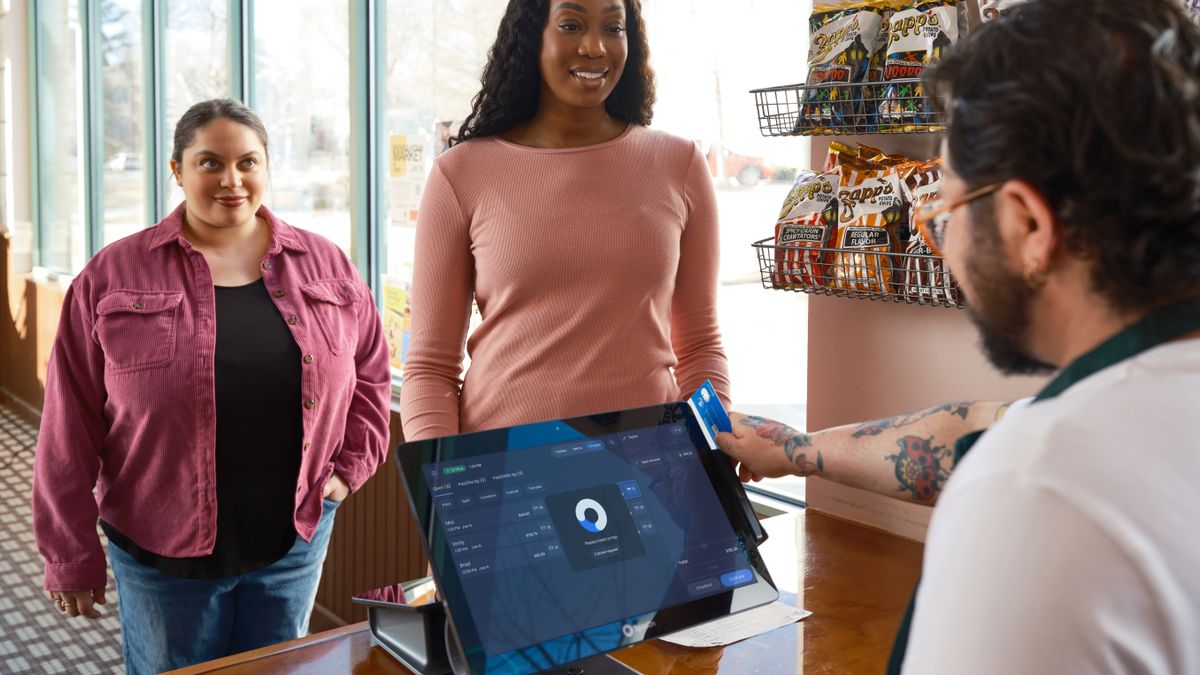
A convenience store screen has a harder job than a screen in a waiting room. Shoppers come in for a drink, a fill-up or a quick snack, and they are often at the register within minutes. If a message needs more than a glance, it will not land. This guide covers what to put on the screen behind or beside your counter, how to order it through the day, and how to keep it consistent and careful.
What is a counter screen actually for?
In a convenience store, the screen is there to catch the checkout moment. That is when a shopper is standing still, looking up, and open to one more small purchase or one more reason to come back.
That changes how you build content. A dining room screen can run a longer loop. A counter screen works better with a handful of messages, each one readable in a few seconds, each one about something the shopper can ask for right now.
Think of it as a digital version of the sign by the register, except it can change by time of day without anyone taping up a new printout. If you are new to the term, our plain-English definition of digital signage covers the basics.
Counter screen ideas by time of day
Match the message to what people are likely to want at that hour. Here is a simple starting schedule you can adjust to your own store.
| Time of day | Message idea | What the shopper should do |
|---|---|---|
| Morning | Coffee-and-breakfast combo reminder | Add a breakfast item to the coffee already in hand |
| Afternoon | Hot food feature or fountain drink of the day | Ask for the featured item at the register |
| All day | Loyalty app or rewards sign-up prompt | Scan a code or ask the cashier how to join |
| All day | Car wash or fuel add-on tie-in | Add the wash or fuel offer to the purchase |
| Rotating | Local community notice or event | Read it, remember it, maybe attend |
Morning: the coffee-and-breakfast reminder
Show the combo, the items in it and the price you set, in as few words as you can. A photo of the actual coffee and breakfast item does more than a paragraph. Retire this message once the morning rush is over so it does not look stale.
Afternoon: hot food or a fountain drink feature
Pick one item. A single hot food item or a fountain drink promotion is easier to read than a full menu board. Change the feature on a schedule so regulars see something new.
Loyalty and rewards prompts
A loyalty prompt works as a standing message. Keep it to one action, such as scanning a code or asking at the counter, and one benefit. If the sign-up takes several steps, say so at the register rather than on the screen.
Car wash and fuel add-ons
If your store sits next to a car wash or sells fuel, a tie-in message connects the two visits. This is where gas station store screen promotions earn their place: the customer is already on your lot. For more on this kind of content, see our guide to car wash lobby screen ideas.
Local community notices
A school fundraiser, a local team schedule or a neighborhood event gives the screen a reason to exist beyond selling. Include a date and a place, and remove the notice when the event is over.
How to write convenience store checkout messaging that reads in a glance
- One message per screen. One offer, one action. If you need an "and," make it two screens.
- High contrast. Light text on a dark background, or the reverse, with nothing in the middle that competes. Counter lighting and glare make low-contrast designs hard to read.
- Large words, few of them. If someone has to read from a few feet back while holding a drink, a short headline and a product photo is enough.
- Show the product. Real photos of your coffee bar, your hot case or your fountain station are more useful than stock graphics.
- Say where to go. "Ask at the register" or "Scan to join" tells people what to do next.
- Keep motion simple. A subtle fade is fine. Heavy animation pulls attention away from the register.
Many shoppers will not stand and watch. Plan for them to see only one frame, and design each screen so that one frame still makes sense.
Be careful with tobacco, vaping, lottery and alcohol
Some practical habits help. Decide in advance who in your business approves any message that touches a regulated product. Write that rule down. If you run several stores, apply the same rule everywhere, because a screen near a window or a door can be seen from outside.
If your screens also carry third-party ads, ask how creative is reviewed. CETV Now says creative is submitted for review before it runs, and that placements run in curated venue categories to keep brands in appropriate contexts. That is how its own network works, and it is a useful question to put to anyone who offers to fill your screen.
How in-house promotions fit between ads
Some screens carry outside advertising as well as your own messages. On an ad-supported screen, your promotions and the third-party ads share the same airtime, so your own content needs to be short and clearly yours.
CETV Now's model, for example, lets venues run their own promotions, menu items, events and branding between third-party ads, managed from one web-based dashboard. For a closer look at how that works in practice, read how to run in-house promotions on ad-supported screens. If the term is unfamiliar, what ad-supported signage means explains it.
Whatever system you use, ask three things: can I schedule my own messages by time of day, can I change them without calling anyone, and who decides what ads appear next to them.
Keeping content on-brand across a counter, a coffee bar and more than one store
Consistency is mostly about a few repeated choices. Pick two colors, one font and one place for your logo, then use them on every screen. Keep your price format the same each time, with the same dollar sign style and the same wording for "combo."
If you operate more than one store, decide what is fixed and what is local. A common split is that the brand sets the template and the store manager fills in the daily feature. Our guide on brand consistency across franchisee screens offers a simple standard, and who should own your venue screens helps you assign responsibility so content does not go stale.
It also helps to be able to change things fast. CETV Now describes a one-tap emergency broadcast that overrides every screen across all locations, managed from one device or interface. Even if you use another tool, look for something similar for urgent notices; see content control for what that looks like.
A short plan to start this week
- 01
Walk the checkout path
Stand where a customer stands. Note which screens you already own, where they are, and whether they can be seen from the register. Our screen audit guide walks through this.
- 02
Pick four messages
Choose a morning combo, an afternoon hot food or fountain feature, a loyalty prompt and one add-on or community notice.
- 03
Build them simply
One offer, one photo, one action, high contrast. Check that each is readable from the register.
- 04
Set your compliance rule
Decide who approves anything that touches tobacco, vaping, lottery or alcohol, and write it down.
- 05
Review after two weeks
Ask cashiers what customers mention, and retire or swap anything that gets no reaction. Our list of common digital signage mistakes is a good checklist.
Where CETV Now fits
CETV Now is a self-install, plug-in digital out-of-home (DOOH) advertising network. DOOH means advertising shown on screens outside the home. A small media-player device plugs into a screen a venue already owns and runs licensed programming with video ads over live TV. Host venues receive the device and ad-supported programming free, with no monthly cost, and screens are not included.
CETV Now also publishes a media-network page for convenience and gas. Whether a specific convenience store qualifies as a host venue has not been confirmed on this page, so the practical step is to ask. You can reach the team at (833) 807-1500 or info@cetvnow.com, or start from the venue partners page.
If you also run a grocery or deli counter, see grocery store screen ideas. If your store is closer to a coffee bar, coffee shop screen ideas may help.