
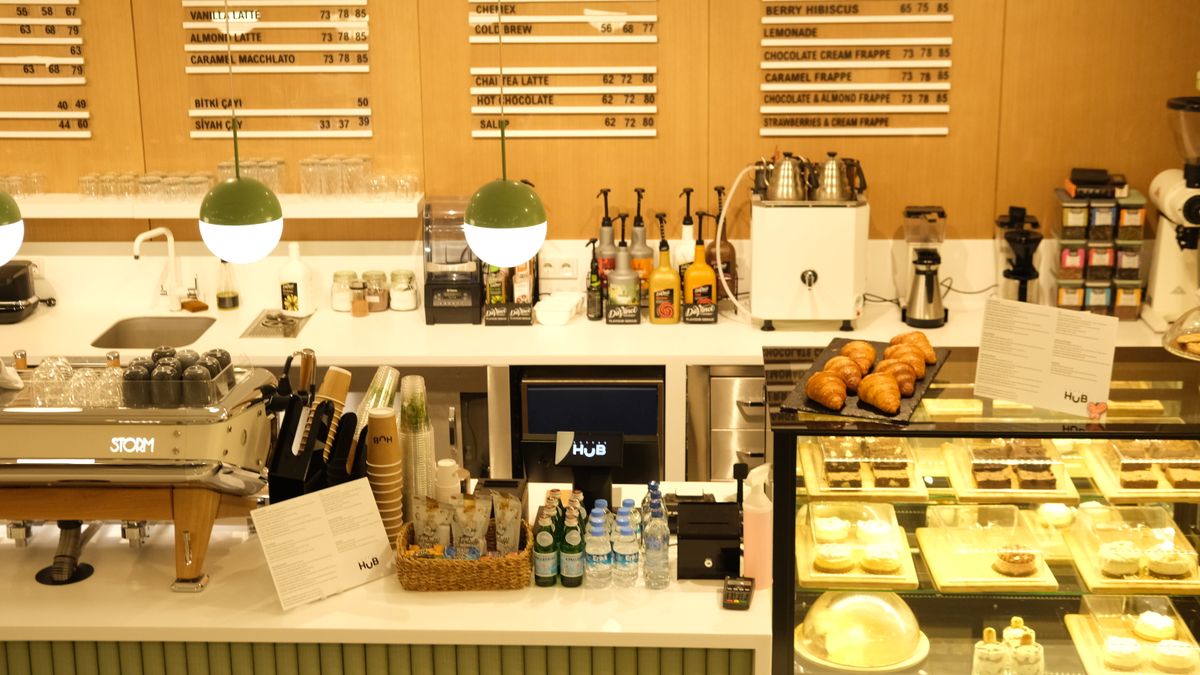
 On screen
A coffee shop screen has a harder job than most. The same TV that has to help a line of commuters decide in a few seconds also has to feel pleasant for someone settling in with a laptop two hours later. This guide gives you coffee shop TV screen ideas organized around those different moments, so you can decide what belongs on the screen and when.
It is written for owners and operations managers who want a practical plan, not a design project. Everything here is general content advice. Where it touches what CETV Now does, it sticks to what CETV Now has confirmed.
Three moods in one room
Most cafes run three distinct moods in a day. Treating them as one steady stream of content is the most common reason screens end up ignored.
- The rush. People are standing, in a hurry, and looking for something specific: what is available, what is new, what is the quick option.
- The lull. Seats are filling with people who stay. The screen should add atmosphere and avoid pulling attention like an alarm.
- The in-between and after-school or evening stretch. Good for announcements, events and regulars-focused messages, since people have more time to read.
Your exact hours will differ, so use your own sales pattern to decide where each mood starts and ends. For a deeper look at scheduling, see the time-of-day content plan.
Morning rush screen content: clarity first
Morning rush screen content has one purpose: shorten the decision. If a customer reaches the register already knowing what they want, the line moves faster and the barista has fewer questions to answer.
What works at the rush
- A small set of featured items, not the full menu. Pick the few drinks and food items you most want to sell.
- Large type and high contrast so it reads from the back of the line.
- Items that are ready now, such as breakfast sandwiches or a pastry case special, shown as a simple picture and name.
- One clear line about what is new or limited today.
- A short note on ordering options, such as where to pick up, if that is a source of confusion.
What to leave off
Skip paragraphs, long ingredient lists and anything that needs more than a glance. If you need a reference for tight screen writing, the guide on writing copy people can read at a glance covers the basics. Also avoid mistakes that waste screen time, which the post on creative mistakes on venue screens walks through.
A calmer midday mood
Once the line is gone, the screen can relax. The goal is a room people want to stay in, not a billboard they have to look at.
Options include nature visuals, lifestyle content or news and sports, depending on your crowd. CETV Now describes its programming as curated and licensed for commercial, public display, covering sports, news, lifestyle and nature content, with no ASCAP, BMI or SESAC liability for the venue. That licensing point matters because playing ordinary consumer streaming or cable in a business can raise public performance questions. Read more in what a public performance license is and why businesses need licensed programming.
Seasonal drinks and specials
New seasonal drinks are the easiest message to put on a screen, because they are visual, time-limited and something regulars will want to know about. The screen can do what a counter card does, but with a photo and a start date.
- 01
Pick one headline item
Feature one drink at a time. Two or three competing items make the screen look like a menu board again.
- 02
Use a real photo and a short name
A clear image of the actual drink, plus the name and a short descriptor, is usually enough.
- 03
Add the timing
If it is limited, say so with a plain phrase such as 'this month only', using dates you control.
- 04
Schedule the switch
Plan the change-over before the season starts so the old promotion does not linger. The holiday content calendar is a good starting point.
CETV Now says venues can run their own promotions, menu items, events and branding between third-party ads, managed from one web-based dashboard along with channels and scheduling. See how in-house promotions work on ad-supported screens for the practical detail.
Community events and notices
Cafes are often neighborhood hubs, and a screen is a low-effort community board. Think of it as the bulletin board by the door, but easier to keep current.
- Your own events, such as open mic nights, book clubs, tastings or a local artist's display.
- Neighborhood happenings you are willing to promote, such as a farmers market or a school fundraiser.
- Practical notices, like holiday hours or a temporary closure of the patio.
- Thank-yous to local groups that use the space.
Keep each notice to a date, a time and a place. If an event is over, remove it. A stale poster on a screen tells customers nobody is paying attention.
Loyalty reminders
Loyalty programs only work if customers remember to use them. A short reminder on screen can nudge people at the right time, particularly while they wait for an order.
- How to join, in one sentence.
- What a reward looks like, such as a free drink after a set number of visits, using your own program's actual terms.
- A reminder to scan, tap or mention their account at the register.
- A simple seasonal bonus if your program has one.
Only show terms you can honor and keep the wording matched to your program. If you advertise any offers that fall under local or platform rules, check your own compliance requirements.
Putting it together: a simple day plan
| Part of day | Goal | Content ideas |
|---|---|---|
| Morning rush | Speed up ordering | Featured drinks, ready-now food, one new item |
| Midday | Calm atmosphere | Licensed lifestyle or nature programming, light promo reminders |
| Afternoon | Tell regulars what is coming | Community events, seasonal drink, loyalty reminder |
| Evening or close | Wind down | Quieter programming, tomorrow's special or hours |
If you manage more than one screen or location, the tips in managing TVs across multiple locations can help keep things consistent. For broader ideas, see what to show on business TVs.
Asking about your specific venue
CETV Now is a self-install, plug-in digital out-of-home (DOOH) advertising network. A small media player plugs into a screen a venue already owns and runs licensed programming with video ads over live TV. CETV Now describes the device and ad-supported programming as free to host venues, with no monthly cost, and says screens are not included.
What CETV Now has not confirmed on this page is whether coffee shops qualify as host venues. Its published venue categories include restaurants and bars, retail, salons and others, but a coffee shop is not named as its own category. Eligibility, screen and equipment needs, internet needs and any compensation for venues are not covered here, so do not assume them either way.
The practical next step is to describe your coffee shop to the team and ask directly. You can reach CETV Now at (833) 807-1500 or info@cetvnow.com, or learn about the venue partner program, how ad-supported signage works and what a host venue is first. If you want to see what your own screens are doing today, start with a quick screen audit.