
 On screen
A dealership has more than one screen audience. A customer in the service lounge is waiting and has time to read. A shopper walking the showroom floor is deciding. Someone at the service desk is about to leave. If all three see the same loop, you waste most of it. This guide helps a general manager or service manager decide what each screen shows.
CETV Now is a self-install, plug-in digital out-of-home (DOOH) network. DOOH means screen-based advertising and messaging in places people already visit. A small media-player device plugs into a screen you already own and runs licensed programming with video ads over live TV. Your own promotions run between the third-party ads.
The lounge, the showroom and the service lane
Start by sorting your screens by who is looking at them and what they are doing. The same message reads differently in each spot.
| Area | Who is watching | What fits |
|---|---|---|
| Service lounge | Customers waiting for a repair or maintenance visit | Live programming such as news, sports and lifestyle content, plus service reminders and team introductions |
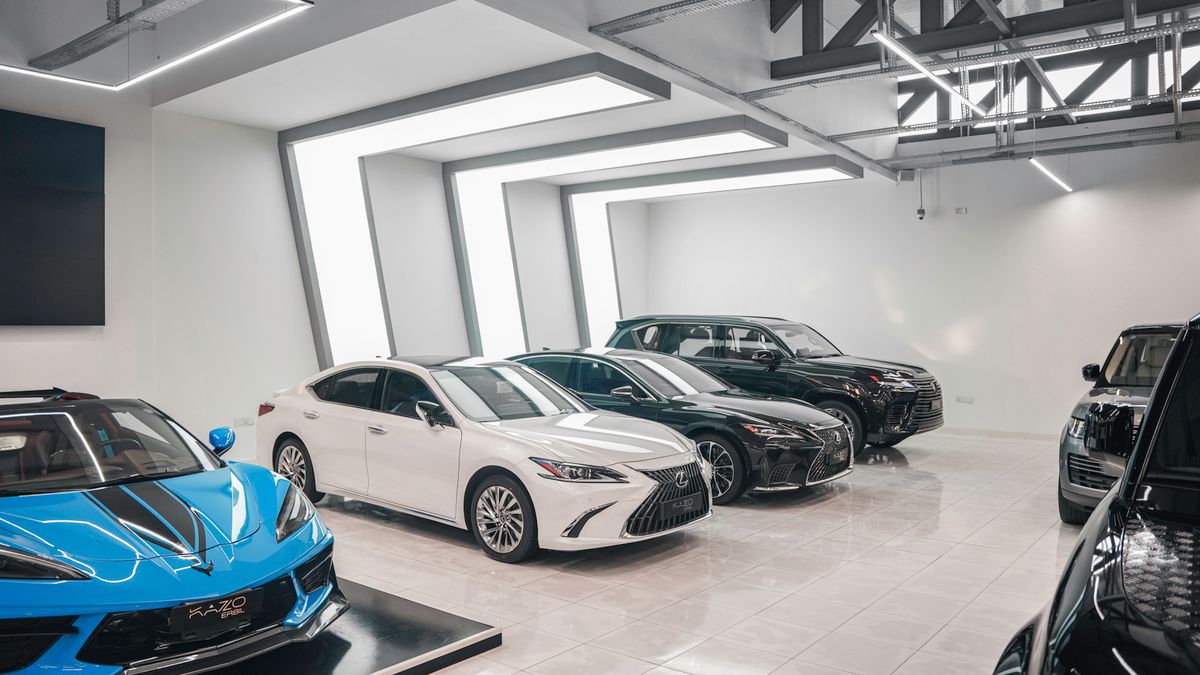
| Showroom | Shoppers browsing, often with a salesperson nearby | New-arrival notices, event announcements, financing or trade-in offers you are allowed to advertise |
| Service lane or write-up area | Customers dropping off or picking up | Short, high-contrast messages about the next step and one or two service offers |
CETV Now reports average dwell time of 15+ minutes across its network. That is network data, not audited by a third party, and dwell time is how long people are in a venue, not a measure of attention. Treat it as a reason to plan content for people who are sitting down, not as a promise about any one lounge.
Programming for a waiting customer
A waiting customer mostly wants something easy to watch. Programming that is curated and licensed for commercial, public display covers sports, news, lifestyle and nature content, and the venue carries no ASCAP, BMI or SESAC liability. See why businesses need licensed TV programming if you are currently using a personal streaming account on a lounge TV.
- Keep live programming as the default so the screen is worth looking at between messages.
- Choose channels with broad appeal. A lounge holds a mix of ages and interests, so avoid anything polarizing.
- Think about sound. Many lounges run with the volume low or off, so any message you add should read without audio.
- Use a calmer channel in a quiet corner and a more active one near a play area or coffee bar.
For more on balancing live content and messages, see what to show on TV screens in a business. The same principles apply in a medical waiting room, though the content differs.
Service-department promotions
The service lounge is where you can remind customers of what the department offers while they are already thinking about their vehicle. Keep each message to one idea. For more prompts, see these service lane promotion ideas for waiting drivers.
- Seasonal reminders: tires, battery checks, wipers, or air conditioning before hot weather.
- Maintenance reminders: a plain list of common service items, with how to ask about them at the desk.
- Appointment prompts: how to schedule the next visit, with a phone number or the desk location.
- Shuttle, loaner or wait-time information, if you offer it, so customers know their options.
- Current service offers that your own team has approved.
You can upload and schedule your own promotions from a web-based dashboard, so the service manager can update an offer without calling a technician. More on how this works is in how to run in-house promotions on ad-supported screens.
New arrivals and events
The showroom is the place for what is new and what is coming up. These messages go stale quickly, so assign an owner for removing them.
- New arrivals: a short notice that a model or trim has arrived, with where to find it on the lot or whom to ask.
- Weekend or seasonal sales events, with dates and the hours that matter.
- Community events the dealership hosts or sponsors, such as a charity drive or a customer appreciation day.
- Certified pre-owned or trade-in notices, if you want shoppers to ask about them.
- Holiday greetings and closures. A holiday content calendar helps you plan ahead.
Introducing the team
Customers often feel more comfortable when they can put a face to a name. A simple team slide can make the service lounge feel less anonymous.
- Service advisors, with names and a one-line role description.
- The service manager and the parts counter, so customers know whom to ask.
- Technician spotlights, such as certifications your team holds, if the staff member is comfortable being featured.
- A welcome message from the general manager.
Get permission from each person before putting their photo on a screen, and update the slide when staff changes. An outdated team slide does more harm than not having one.
Rotating by day of the week
Repeat visitors are common in a service lounge, since customers come back for oil changes, tires and recalls. A simple weekday plan keeps screens from feeling stuck. The automated scheduling in the dashboard can switch channels and promotions for you. For a time-based approach, see a simple dayparting plan.
| Day | Lounge focus | Showroom focus |
|---|---|---|
| Monday | Team introduction and appointment prompts | New-arrival notices |
| Tuesday to Thursday | Seasonal service reminders | Trade-in and certified pre-owned notices |
| Friday | Weekend hours and shuttle information | Weekend event announcement |
| Saturday | Sports and lifestyle programming, with light service reminders | Event details and new arrivals |
This is a starting point, not a rule. Look at when your lounge is busiest and move the heavier service messaging to those times. Review the plan monthly and drop anything that no longer applies.
Next steps for a dealership
CETV Now host venues get the plug-in device and ad-supported programming free, with no monthly cost. Setup is self-install: order the device, plug it into a screen you already own, choose channels and upload promotions. Screens are not included. Read more about ad-supported digital signage or the venue partner program.
CETV Now has not published details here on eligibility, screen or equipment requirements, or internet requirements. Ask the team directly at (833) 807-1500 or info@cetvnow.com. Live markets are Phoenix, Dallas, Atlanta, Nashville and Salt Lake City, with Miami coming soon. For any other location, availability is unconfirmed, so send an inquiry. Dealership groups with several rooms can also review managing screens across multiple locations.
Figures reflect CETV Now network data and are provided for informational purposes. Individual campaign results vary; no specific outcome is guaranteed.