
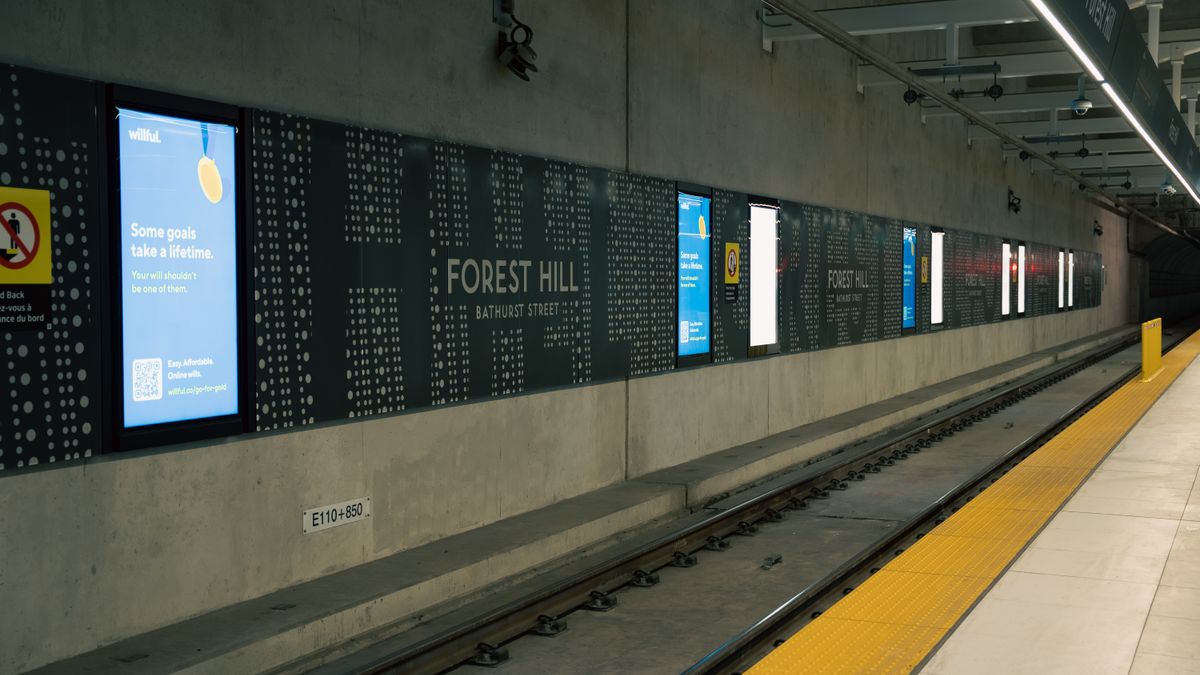
 On screen
A new service is hard to advertise because two groups need different things from you. Existing customers already trust you and need to learn the service exists. New people do not know you at all, so they need to learn who you are and what you now offer. A good plan handles them in order instead of sending one message to everyone at once.
This guide walks through that order, what your first video spot has to explain, and how in-venue video (digital out-of-home, or DOOH, advertising shown on screens in places people visit) works alongside your own signage and email. Examples are illustrative, and no outcome is guaranteed.
Who are you announcing to?
Split the audience before you write anything. Each group has a different question in mind and a different best channel.
| Existing customers | New people | |
|---|---|---|
| What they know | Your business, your staff, your standards | Nothing, or only your name |
| Their question | Is this for me, and how do I add it? | Who are you, and why should I try you? |
| Where you reach them first | Your email list, front-desk conversation, your own signage | Venues in your area where people wait, watch and decide |
| What the message leads with | The new service, as an extension of what they already use | The business and the service together |
If you already have a customer list, the first group is the cheaper and faster one to reach. Starting there also gives you early questions and objections to fix before you pay to reach strangers.
How should you sequence the announcement?
- 01
Set the goal and the response path
Decide what a good response looks like: calls, bookings, walk-ins, or requests for a consult. Make sure that path works before any ad runs. The guide to setting DOOH campaign goals helps you pick one primary goal.
- 02
Prepare your team
Staff will field the first questions. Give them a short script covering what the service is, who it suits and how to book. See how to prepare staff before an advertising campaign.
- 03
Tell existing customers first
Send the email, put up your own signage, and mention it at the counter or on calls. Customers who hear it from you before they see it elsewhere are less likely to feel they were an afterthought.
- 04
Widen to new audiences
Once your own channels are live, start in-venue video in the neighborhoods and venue categories where your likely customers spend time. Targeting can be set by neighborhood, city, metro, zip code, sector or individual venue, and layered with audience type and daypart.
- 05
Review, adjust and decide what continues
Compare what you see against the goal you set. Then decide whether to extend, change the message or pause. The renew, expand or pause framework covers that decision.
The gap between steps three and four does not have to be long. How long to leave it depends on your list size, your capacity to take on new work and your calendar. Choosing dates is covered in choosing flight dates and campaign length.
What must the first spot explain?
For a new service, the first spot has a bigger job than a reminder ad. Viewers have no context, so it needs to answer four questions quickly, in this order.
- 1What is it? Name the service in plain words, not internal jargon.
- 2Who is it for? Say who benefits so the right viewer recognizes themselves.
- 3Why now or why you? One reason: it is new, it is nearby, or it solves a specific annoyance.
- 4What should I do next? One action: call, book, or ask about it at the counter.
CETV Now ad formats include full-screen video, static creative, multi-spot branded campaigns and local offers. Creative can be a 30-second video, static designs, or animated motion graphics shown as overlays on live TV. A 30-second spot gives you room for these four points if you stay disciplined. See ad formats for the options.
An illustrative example
Say a hypothetical neighborhood salon adds a new scalp-treatment service. The spot opens on the service name and a clear visual of the treatment. It says who it suits, such as people with dry or irritated scalps, notes that it is now offered at the salon, and closes on one booking instruction. It does not list every product, every price tier and every hour. The email to existing clients, by contrast, can carry more detail because readers choose to open it.
Because people watch venue screens from across a room, build the idea so it is understood from the visuals and on-screen text, and keep the booking step short enough to remember. Our guidance on matching your audience to venue moments goes deeper on tone and timing.
How does in-venue video fit with your signage and email?
Think of each channel as having a job. Your own email and signage reach people who already know you. In-venue video reaches people while they wait, watch and decide in venues they already visit, including people who are not on your list. That is a division of labor, not a ranking, and it is the basic idea behind a media mix.
| Channel | Primary job | Limit to plan around |
|---|---|---|
| Email to your list | Tell existing customers first, with detail and a direct response link | Reaches only people who already gave you their address |
| Your own signage and counter | Catch customers already at your location | Reaches only people who walk in |
| In-venue video | Introduce the service and business to new people in nearby venues | A short spot has room for one idea, not a full brochure |
| Search and social | Capture people who look you up after they see the message | Needs consistent naming; see combining out-of-home with digital advertising |
Use the same name, look and offer across all of them. If the screen spot says one thing and the email says another, people who meet both will not connect them.
If you also host screens
Some businesses are venues themselves. CETV Now host venues can run their own promotions, menu items, events and branding between third-party ads, managed from a web dashboard. If you operate a venue with a screen on the network, your own announcement can run on your screen alongside paid placements elsewhere. Details of how a venue joins are not covered here; the how it works page explains the model.
Where should the new-audience ads run?
Pick venues by who is likely to be there and what they are doing, not just by volume. CETV Now runs in high-dwell commercial venue categories: auto dealerships, restaurants and bars, medical and dental offices, fitness and wellness facilities, retail, and professional services such as offices and salons. CETV Now reports average dwell time of 15+ minutes across its network. That figure is CETV Now network data, not third-party audited, and dwell time measures how long people are in a venue, not how closely they watch.
- Near your service area: use neighborhood or zip code targeting so the ad reaches people who can realistically visit.
- Matched to the need: a new service for pet owners belongs in different venues than one for commuters. The venue category guide helps you choose.
- At the right time: daypart targeting lets you favor the hours when your audience is most likely to be thinking about the service.
- Inside live markets: CETV Now is live in Phoenix, Dallas, Atlanta, Nashville and Salt Lake City, with Miami coming soon. For anywhere else, availability is unconfirmed, so send an inquiry.
How do you start small and judge the result?
Ad insertion has no minimums and no long-term commitment, so you set your own spend and schedule and scale at your own pace. That makes a first-phase test reasonable for a service you are still learning to sell. Pricing is quote-based and depends on market, venue category and schedule; there is no published rate card. Read how to budget when there is no rate card and how to run a small test campaign before you request a quote.
Delivery is tracked and reported against CETV Now network data, with venue-level impression reporting, real-time statistics and 24/7 campaign monitoring. Delivery reporting tells you where and how often your spot ran. It does not by itself tell you who booked because of it, so give people a way to say how they heard about you. The attribution glossary entry explains the limits.
What to do next
Write down your primary goal, your existing-customer message and a single new-audience message. Run through the DOOH campaign planning checklist to catch gaps. To start a campaign, you share your markets, venue categories, creative and budget; CETV Now maps the plan to real-world audiences, provides a quote and gets the campaign live. You can reach the team at (833) 807-1500 or info@cetvnow.com. If you are opening a new location rather than adding a service, the grand opening plan uses a similar phased approach.
Figures reflect CETV Now network data and are provided for informational purposes. Individual campaign results vary; no specific outcome is guaranteed.