
 On screen
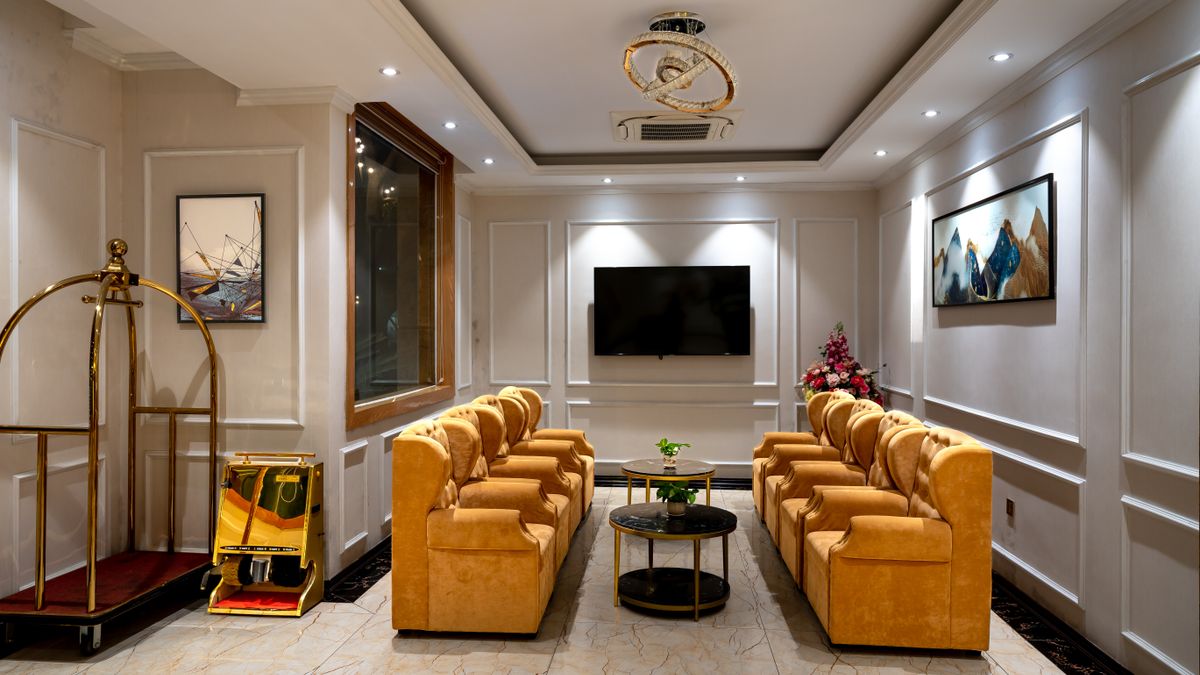
If your hotel already has a TV in the lobby or breakfast area, it is probably showing a news channel or nothing useful. Guests walk past it every day, which makes it a low-cost place to answer questions before they reach the front desk. This guide covers what to show, when to show it, and how to keep it looking like your hotel.
What should a hotel lobby screen actually do?
Think of it as a quiet concierge. Hotel guests are strangers to the area, short on time, and often standing with luggage or a coffee. They want fast answers, not a brand film.
Four questions cover most of what a lobby or breakfast screen should handle:
- What is open right now, and until when?
- What is happening today, in the hotel and nearby?
- Where can I eat, and how do I get there?
- What does the hotel offer that I have not used yet?
Everything else, including general entertainment, is secondary. If a slide does not answer one of those questions or support the hotel's own services, cut it.
Hotel lobby digital signage ideas by moment
Guests use the lobby differently at 7 a.m. than at 7 p.m. Plan content around the moment, not around a single loop that runs all day.
| Moment | Guest question | What to show |
|---|---|---|
| Check-in | Where do I go, what is here? | Welcome slide, front desk and elevator directions, restaurant and bar hours |
| Breakfast | What time does this end, what is the plan today? | Breakfast end time, today's weather, local events, shuttle or transit notes |
| Midday | What can I do nearby? | Today's local events, walking-distance dining, spa and fitness center hours |
| Evening | Where should I eat or drink? | Hotel restaurant feature, bar hours or happy hour, a short list of nearby options |
| Checkout | Anything I should know? | Checkout time, late-checkout request prompt, loyalty or direct-booking reminder |
What works for hotel breakfast room TV content?
Breakfast rooms are one of the few places guests sit still with little else to do. Hotel breakfast room TV content should be easy to glance at and fine to ignore.
- Today's weather and the day ahead. A simple forecast slide helps guests decide what to wear and whether to book the outdoor plan.
- Breakfast details. Posted end time and where to find items for dietary needs.
- Local events today. Two or three items with a time and a distance from the hotel beat a long list.
- Calm background programming. News or lifestyle content at low volume or muted, so the room does not feel loud. Decide on sound deliberately; this guide to sound on business TVs covers the trade-offs.
How do you promote a hotel restaurant on a lobby screen?
Your own outlets and services are a natural fit for lobby space because guests are already on the property. These five ideas suit most hotels and work as simple, dated slides.
- 1Today's local events and weather-aware suggestions. Rain: point to the indoor option. Clear evening: mention the patio or a walkable event. Change the slide by hand or on a schedule.
- 2A restaurant or bar feature. One dish or one happy-hour window, with the hours and walking directions from the elevator. If you promote alcohol, check your own local rules on how it can be advertised.
- 3Spa or fitness center hours. Opening and closing times, floor, and whether a reservation is needed. The front desk likely answers this question all day.
- 4A late-checkout, loyalty or direct-booking reminder. One line and one action, such as asking at the desk. Do not stack three offers on one slide.
- 5A meeting and event space prompt. Business guests often know someone planning an offsite. A short line such as "Hosting a meeting? Ask us about our event space" gives them a next step.
For more examples of featuring food and drink, see the guides on restaurant dining room screens and bar and taproom screens.
How do in-house promotions fit between ads?
Some venues run screens fully on their own content. Others use an ad-supported model, where licensed programming and third-party ads run on the screen and the venue places its own promotions in between. CETV Now describes its model this way: venues can run their own promotions, menu items, events and branding between third-party ads, managed from one web dashboard. For the mechanics, see how to run in-house promotions on ad-supported screens.
Whichever setup you use, the principle is the same. Your promotions should look and read differently from outside ads so guests can tell what is from the hotel. A consistent frame, logo placement and color palette does most of that work.
How do you keep lobby content on-brand?
A hotel screen that looks like a mix of flyers undermines a lobby you have spent money on. A short standard prevents it.
- Pick one or two fonts and your brand colors, and use them on every slide.
- Put the logo in the same corner every time.
- Use real photos of your property rather than generic stock that guests will recognize as not yours.
- Write in the same voice as your website and front desk.
- Date every promotion with a start and end, and remove expired slides the same day.
- Assign one person to own the screen, even if it is a part-time duty.
For a wider checklist of common errors, read digital signage mistakes small businesses make. If you run several properties, brand consistency across franchisee screens shows how to set one standard for all of them.
Where does CETV Now fit for hotels?
Here is what CETV Now has and has not confirmed. CETV Now is a self-install, plug-in digital out-of-home (DOOH, meaning advertising on screens in public places) network. A small media-player device plugs into a screen a venue already owns and runs licensed programming with video ads over live TV. Host venues receive the device and ad-supported programming free, with no monthly cost. Screens are not included.
The venue categories CETV Now runs in are auto dealerships, restaurants and bars, medical and dental offices, fitness and wellness facilities, retail, and professional services such as offices and salons. Hotel lobbies are not confirmed as one of those categories, so this guide does not assume CETV Now screens run in them. Ask the team about your specific property before you plan around it.
CETV Now also publishes a page on media networks for hotels and hospitality, part of its industry pages for branded networks. The venue partners page explains how hosting works if you want to start a conversation.
A simple way to start this week
- 01
List your screens
Note every TV in the lobby, breakfast area, bar and fitness center. The screen audit guide walks through it.
- 02
Choose three jobs
For example: today's events, restaurant hours and a checkout reminder. Resist adding more until those are working.
- 03
Build five to eight slides
Use your brand colors, short headlines and one detail each. Date each promotion.
- 04
Review weekly
Swap weather and event slides, remove anything expired, and ask front desk staff which questions guests still ask.
- 05
Ask about your options
If you want to know whether an ad-supported setup could apply to your property, contact CETV Now at (833) 807-1500 or info@cetvnow.com.